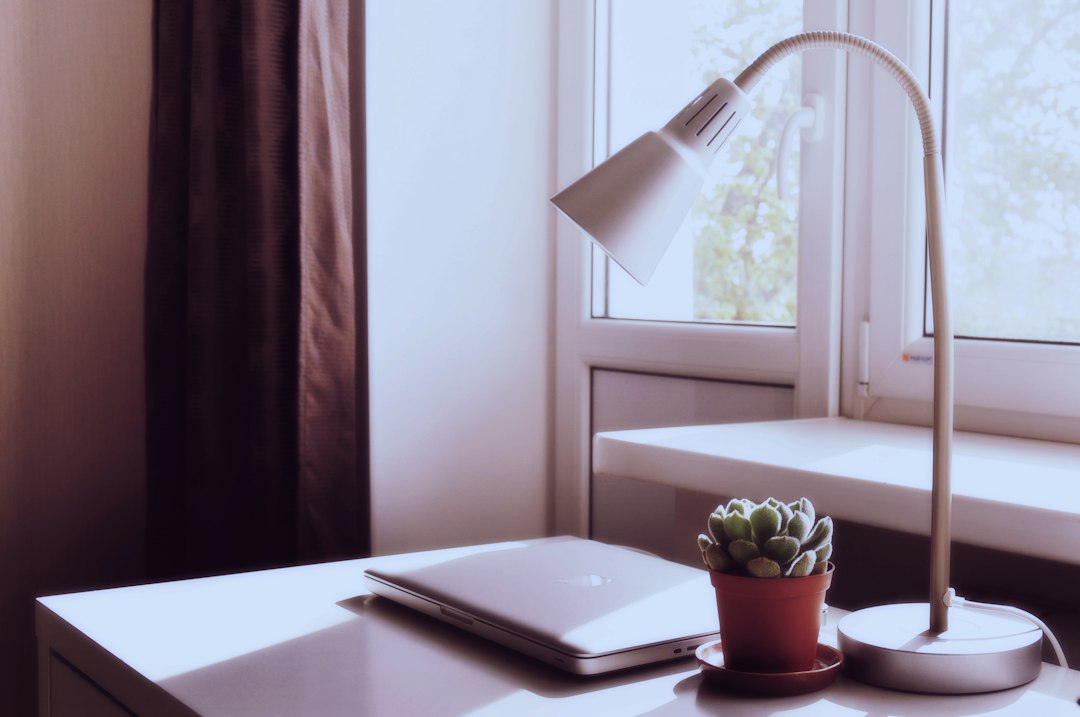
Looking for a student desk lamp that won’t break the bank? You’re in luck! A good quality, functional student desk lamp can absolutely be found for under $50, and often even under $30, without sacrificing essential features. It’s all about knowing what to prioritize and where to look. This guide will help you navigate the options, understand what truly matters, and make a smart purchase that fits your budget and study needs.
Understanding Student Desk Lamp Essentials
Before we dive into prices, let’s talk about what actually makes a desk lamp “good” for a student. It’s not about fancy bells and whistles, but rather core functionality that supports long hours of studying without eye strain.
Key Features to Prioritize
When you’re on a budget, every dollar counts. Focus on these non-negotiable features first.
Adjustable Brightness (Dimming)
This is perhaps the most crucial feature. Your lighting needs change throughout the day and with different tasks. Reading a textbook requires more focused light than, say, a quick email check. A lamp with multiple brightness settings prevents eye strain and allows you to adapt the light to your environment and activity. PWM (Pulse Width Modulation) dimming is common in budget LED lamps, but if you’re sensitive to flicker, look for lamps that explicitly state “flicker-free” dimming, though these might be slightly more expensive.
Adjustable Angle and Height
Being able to direct the light exactly where you need it is fundamental. A flexible neck, swivel head, or an articulated arm allows you to position the light to illuminate your study materials without creating harsh glare on your screen or shadows on your paper. This adjustability is vital for ergonomics and preventing neck strain from leaning into poorly lit work. Look for lamps with gooseneck designs or multi-jointed arms.
LED Light Source
LEDs are the undisputed champion for student desk lamps due to their energy efficiency, longevity, and cool operation. They consume significantly less power than traditional incandescent or fluorescent bulbs, saving you money on electricity bills over time. They also last for tens of thousands of hours, meaning you won’t need to replace bulbs constantly. Furthermore, LEDs produce less heat, which is a nice bonus when you’re working in a smaller dorm room or during warmer months.
Color Temperature Options (Optional but Recommended)
While not strictly essential for budget lamps, having different color temperature settings (e.g., warm white for relaxation, cool white for focus) can be a real game-changer. Some lamps offer “daylight” white (around 5000K-6500K) which mimics natural light and is excellent for concentration, while warmer tones (2700K-3500K) are better for winding down or less intensive tasks. If your budget allows, this adds significant versatility.
Budget Tiers: What to Expect at Different Price Points
Understanding what you can realistically get for your money will help manage expectations and guide your search. We’ll break it down into common student budget ranges.
Under $20: The Bare Essentials
In this price range, you’re looking for a solid, no-frills lamp that gets the job done. You’ll find many basic LED models here.
What You’ll Likely Get
Expect a lamp with a single, non-replaceable LED bulb (integrated LEDs are standard in most modern desk lamps), and basic on/off functionality. Many will offer a simple gooseneck design for adjustability. Some might even surprise you with 2-3 brightness settings via a touch control. USB-powered lamps are common here, which can be convenient if you have a spare USB port on your laptop or a wall adapter. Materials will typically be plastic, which is lightweight and durable enough for dorm life.
What You Might Miss Out On
Don’t expect multiple color temperature options, fancy features like wireless charging, or premium build materials. The adjustability might be adequate but not as expansive as higher-priced models. The light output might be sufficient for general task lighting but not for illuminating an entire large desk. Quality control can be a bit more variable, so checking reviews is crucial.
Tips for Shopping Under $20
- Read Reviews: Pay close attention to comments about durability, flicker, and actual brightness.
- Check Lumens: If listed, aim for at least 300-500 lumens for decent task lighting. Many budget lamps don’t list this, so trust user feedback.
- Integrated USB Power: This can be a boon for space-saving and flexibility.
- Look for Sales: Retailers frequently put these basic models on sale.
$20 – $50: The Sweet Spot for Value
This is where you’ll find the best balance of features, quality, and affordability for most students. There’s a wide variety of excellent options here.
What You’ll Likely Get
In this range, you can expect significantly improved features. Most lamps will offer multiple brightness levels (often 3-5) and frequently include 2-3 color temperature options. The adjustability will be better, with more robust goosenecks or even articulated arms. Build quality tends to be better, often incorporating some metal components or higher-grade plastics for improved stability and feel. You might also see touch controls becoming standard, sometimes with memory functions to recall your last setting. Some even start to incorporate features like USB charging ports for your phone or a small pen holder.
What You Might Miss Out On
While a great value, you’re still unlikely to get high-end designer aesthetics, premium materials like brushed aluminum throughout, or advanced smart home integration. Wireless charging is still less common, and if present, might be a slower charging speed.
Tips for Shopping $20 – $50
- Prioritize Color Temperature: If possible, aim for a lamp with at least two or three color temperature settings.
- Check for USB Charging Ports: A built-in USB port can be incredibly convenient for charging your phone or other small devices, reducing the need for extra wall adapters.
- Look at the Base: A heavier, more stable base is a good sign of better build quality and prevents accidental tipping.
- Consider Clamp-on Options: If desk space is at a premium, a clamp-on lamp can save valuable surface area and often offers excellent adjustability.
$50 – $100: Premium Features for Serious Students
If your budget extends to this range, you can afford some very thoughtful design and advanced features that significantly enhance the study experience.
What You’ll Likely Get
Here, you’ll find lamps that truly excel in adjustability, often with multi-axis arms and highly flexible joints that allow for precise light positioning. Integrated, flicker-free dimming across a wide range of brightness levels is standard, as are multiple, distinct color temperature options. Build materials improve further, often featuring more metal, better finishes, and a generally more premium feel. You’ll frequently find fast USB charging ports, and wireless charging for phones becomes a more common and reliable feature. Some lamps in this tier might include light sensors that automatically adjust brightness based on ambient light, or built-in timers.
What You Might Miss Out On
Truly high-end designer lamps from specialized lighting brands can still exceed this budget. You likely won’t get smart home integration that works seamlessly with Alexa or Google Home unless you specifically look for it, and it might be a basic implementation.
Tips for Shopping $50 – $100
- Focus on Ergonomics: Look for highly adjustable arms that can clear monitors and provide even illumination across your entire workspace.
- Consider Smart Features: If you value convenience, look for automatic dimming or built-in timers.
- Check Wireless Charging Speed: If wireless charging is important, ensure it’s at least 7.5W or 10W for reasonable charging times.
- Investigate Warranty: Lamps in this range often come with longer warranties, indicating manufacturer confidence in durability.
Smart Shopping Strategies for Students
Finding a great lamp isn’t just about knowing what to look for, but also how and where to look.
Where to Look for Deals
The internet is your friend, but don’t forget physical stores.
Online Retailers (Amazon, Walmart, Target, etc.)
These are often your first stop due to sheer volume and competitive pricing. Look for:
- Daily Deals and Lightning Sales: Keep an eye out for limited-time offers.
- Refurbished Options: Some manufacturers or retailers sell refurbished lamps at a discount, often with a warranty.
- Coupon Codes: Search for specific product codes or general retailer coupons.
- Reading Reviews: Crucial for assessing actual product quality and user satisfaction, especially for less-known brands. Filter by rating and read critical reviews too.
University Bookstores / Campus Shops
Sometimes, these stores have specific student discounts or bundles, especially during back-to-school season. While often pricier than online options, they can be convenient and offer immediate gratification.
Discount Stores (TJ Maxx, Marshalls, HomeGoods)
These stores can be hit-or-miss but occasionally carry surprisingly good quality desk lamps from known brands at a fraction of their original price. It requires patience and frequent checking.
Second-Hand Marketplaces (Facebook Marketplace, Craigslist, Local Charity Shops)
If you’re comfortable with used items, you might find a high-quality lamp for very little money. Inspect thoroughly for damage, functionality, and cleanliness before buying. Always prioritize safety – ensure wiring isn’t frayed if it’s an older model.
Timing Your Purchase
When you buy can significantly impact the price.
Back-to-School Season (July-September)
This is prime time for student essentials, and desk lamps are no exception. Retailers heavily discount items to attract students. Keep an eye out for “dorm room bundles” which might include a lamp.
Holiday Sales (Black Friday, Cyber Monday, Prime Day)
Major shopping holidays often bring some of the steepest discounts of the year across all product categories, including home office and study supplies.
End-of-Season Clearances
After major shopping events or at the end of a product cycle, retailers might clear out older models to make way for new inventory. You can snag great deals this way.
Maximizing Your Desk Lamp’s Lifespan and Efficiency
Once you’ve got your lamp, a few simple practices can ensure it serves you well throughout your academic career and beyond.
Proper Placement and Positioning
It might seem obvious, but proper lamp placement can dramatically improve its effectiveness and reduce eye strain.
Avoid Direct Glare
Position the lamp so that the light source itself isn’t shining directly into your eyes or reflecting harshly off your computer screen. The goal is to illuminate your workspace, not your retina.
Illuminate Your Workspace Evenly
Direct the light to cover your primary work area – your textbook, notebook, or keyboard. Avoid creating harsh shadows that could make reading difficult. If you’re right-handed, place the lamp on your left side (and vice-versa for left-handed individuals) to prevent your hand from casting a shadow over your work.
Balance with Ambient Light
Your desk lamp shouldn’t be the only light source in a dark room. This creates too much contrast and can lead to eye fatigue. Use it in conjunction with some ambient room lighting (overhead light, another lamp) to create a more balanced and comfortable environment.
Cleaning and Maintenance
LED lamps are generally low maintenance, but a little care goes a long way.
Dust Regularly
Dust accumulating on the light diffuser can reduce light output. A soft, dry cloth is usually sufficient for cleaning. For tougher grime, a lightly damp cloth can be used on the non-electrical parts. Always unplug the lamp first.
Check Connections
Ensure power cords are not kinked or frayed, and that any detachable parts (like a USB cable) are securely connected. Loose connections can lead to intermittent power or reduce charging efficiency.
Avoid Over-Adjusting (Excessive Force)
While flexible lamps are designed to be adjusted, constantly bending a gooseneck or forcing an articulated arm beyond its natural range can wear down the joints over time. Be gentle and deliberate with adjustments.
Beyond the Basics: Features to Consider if Budget Allows
If you find yourself with a bit more wiggle room in your budget or stumble upon a great deal, these additional features can enhance your study experience.
Integrated USB Charging Ports (Quick Charge)
Many lamps include a standard USB-A port. If you can find one with Quick Charge (QC 3.0) or USB-C Power Delivery (PD), it will charge your devices significantly faster, which is incredibly convenient for phones, tablets, or even certain laptops.
Wireless Charging Pad
A built-in Qi wireless charging pad on the lamp base can be a game-changer for keeping your phone topped up without extra cables cluttering your desk. Just ensure your phone supports wireless charging. Look for lamps offering at least 7.5W or 10W wireless charging for decent speeds.
Automatic Brightness Adjustment
Some higher-end lamps incorporate ambient light sensors. These can detect the light levels in your room and automatically adjust the lamp’s brightness to maintain a consistent and comfortable illumination, reducing the need for manual adjustments throughout the day.
Timer Functions
A built-in timer can be useful for study sessions, allowing you to set the lamp to turn off after a specific duration (e.g., 30 minutes, 1 hour). This can be a gentle reminder to take a break or conserve energy if you accidentally leave it on.
Memory Function
This simple but highly convenient feature allows the lamp to remember your last brightness and color temperature settings when you turn it back on. No more fiddling with controls every time you start a study session.
By focusing on essential features within your budget and leveraging smart shopping tactics, you can absolutely find a fantastic student desk lamp that supports your academic success without emptying your wallet. Good lighting is an investment in your eyes and your productivity – choose wisely!